Title: Pallet Wrapper Operations: Enhancing Efficiency with the Berran Eagle 1000B Stretch Wrapper
Description:
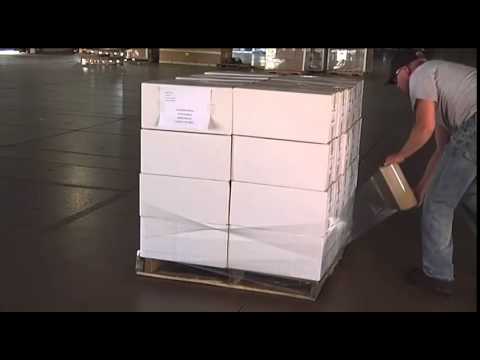
Welcome to our informative video on pallet wrapper operations, where we introduce the highly efficient Berran Eagle 1000B Stretch Wrapper. Designed to optimize film efficiency, this stretch wrapper features a 250% powered pre-stretch and a 20″ film carriage. Join us as we delve into the key features, benefits, and operation steps of this powerful machinery.
Introduction:
In this video, we explore the world of pallet wrapper operations and showcase the Berran Eagle 1000B Stretch Wrapper, a cutting-edge solution for maximizing film efficiency. Whether you’re a warehouse manager, logistics professional, or simply interested in the latest innovations in packaging technology, this video is a must-watch.
Video Content:
1. Key Features of the Berran Eagle 1000B Stretch Wrapper:
– 250% powered pre-stretch: Learn how this advanced feature elongates the film, reducing material costs and minimizing waste.
– 20″ film carriage: Discover how the wide film carriage improves efficiency by accommodating larger pallet sizes.
– User-friendly interface: Explore the intuitive controls that make operating the stretch wrapper a breeze.
– Durability and reliability: Learn about the robust construction and long-lasting performance of the Eagle 1000B.
2. Benefits of the Berran Eagle 1000B Stretch Wrapper:
– Increased film efficiency: Understand how the powered pre-stretch and optimized film carriage contribute to significant savings in film usage.
– Enhanced productivity: Discover how the Eagle 1000B streamlines the wrapping process, allowing for faster throughput and improved workflow.
– Secure pallet loads: Learn how this stretch wrapper ensures stability and prevents product damage during transportation or storage.
– Customizable settings: Explore the various adjustable parameters that enable tailored wrapping solutions for different pallet configurations.
3. Operation Steps:
– Step 1: Unveiling the Eagle 1000B Stretch Wrapper and its components.
– Step 2: Loading the pallet onto the turntable and positioning the film roll.
– Step 3: Setting the desired wrapping parameters using the user-friendly interface.
– Step 4: Initiating the wrapping process and monitoring the automated operation.
– Step 5: Safely removing the wrapped pallet and preparing for the next cycle.
Call to Action:
If you found this video informative and valuable, please consider liking, subscribing, and sharing our channel to support us in creating more insightful content. Stay tuned for future videos where we explore additional topics related to packaging and warehouse solutions.
Additional Tags and Keywords: pallet wrapper, stretch wrapper, Berran Eagle 1000B, film efficiency, packaging technology, warehouse solutions, automated operation
Hashtags: #PalletWrapperOperations #BerranEagle1000B #StretchWrapper #FilmEfficiency #PackagingTechnology #WarehouseSolutions
Sure! Here’s a basic example of a tilter for the Berran Eagle 1000B Stretch Wrapper:
“`
#include
Servo tilterServo;
int tilterAngle = 0;
void setup() {
tilterServo.attach(9); // Connect the servo to pin 9
tilterServo.write(tilterAngle); // Set the initial angle to 0 degrees
}
void loop() {
// Check for user input to control the tilter
if (Serial.available() > 0) {
char input = Serial.read();
// Increase the angle by 5 degrees when ‘u’ is pressed
if (input == ‘u’) {
tilterAngle += 5;
if (tilterAngle > 180) tilterAngle = 180; // Limit the angle to 180 degrees
tilterServo.write(tilterAngle);
}
// Decrease the angle by 5 degrees when ‘d’ is pressed
if (input == ‘d’) {
tilterAngle -= 5;
if (tilterAngle < 0) tilterAngle = 0; // Limit the angle to 0 degrees
tilterServo.write(tilterAngle);
}
}
}
```
This code uses the `Servo` library to control a servo motor connected to pin 9 of the Arduino board. The initial angle of the tilter is set to 0 degrees in the `setup()` function.
In the `loop()` function, it continuously checks for user input from the serial monitor. If the user presses the 'u' key, the tilter angle is increased by 5 degrees (up to a maximum of 180 degrees). If the user presses the 'd' key, the tilter angle is decreased by 5 degrees (down to a minimum of 0 degrees). The `tilterServo.write()` function is used to set the new tilter angle.
You can upload this code to an Arduino board, open the serial monitor, and press 'u' or 'd' to control the tilter angle. Make sure to adjust the servo pin number (`tilterServo.attach()`) based on your wiring configuration. Pallet Wrapping Machine
#Berran #Eagle #1000B #Stretch #Wrapper