
Title: “Efficient Automated Palletizers: FANUC Collaborative Robot Palletizing 2 Pallets Time Lapse”
Description:
Introduction:
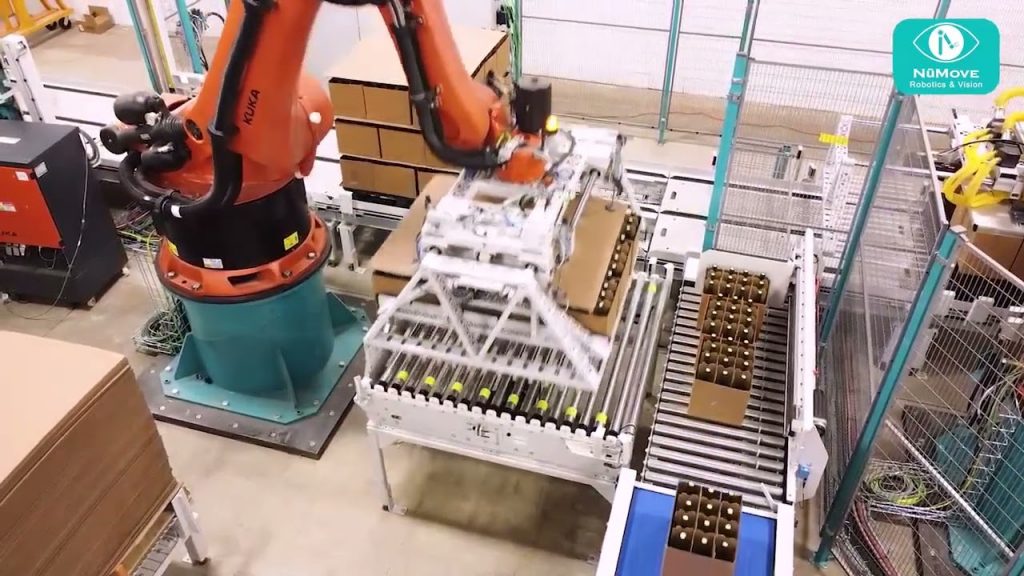
This captivating video showcases the remarkable capabilities of automated palletizers, specifically the FANUC Collaborative Robot, as it efficiently palletizes two pallets in a time-lapse format. Witness the power of automation and innovation in the manufacturing industry.
Video Content:
In this mesmerizing time-lapse video, we demonstrate the seamless operation of the FANUC Collaborative Robot in palletizing two pallets. This advanced robotic system effortlessly handles the palletizing process, showcasing its speed, precision, and adaptability.
Key Highlights:
1. Enhanced Efficiency: The FANUC Collaborative Robot optimizes palletizing tasks, significantly reducing manual labor and increasing productivity.
2. Collaborative Operation: This cobot works alongside human operators, promoting a safe and cooperative work environment.
3. Quick Setup: With user-friendly programming and intuitive controls, the FANUC Collaborative Robot can be easily programmed for different palletizing requirements.
4. Versatile Applications: This automated palletizer is suitable for a wide range of industries, including manufacturing, logistics, and distribution centers.
5. Space-saving Design: The compact footprint of the FANUC Collaborative Robot allows for seamless integration into existing production lines, maximizing space utilization.
Operation Steps:
Step 1: The FANUC Collaborative Robot receives instructions for palletizing two pallets.
Step 2: The robot identifies and picks up the products with precision, ensuring proper alignment.
Step 3: Skillfully maneuvering, the cobot carefully stacks the products on the pallet, optimizing space utilization.
Step 4: The palletized products are secured for safe transport and storage.
Step 5: The FANUC Collaborative Robot completes the palletizing process, ready for the next task.
Call to Action:
If you found this video intriguing and want to explore more about automated palletizers and robotics in manufacturing, consider subscribing to our channel for future updates. Don’t forget to like and share this video with others who might find it fascinating.
Additional Tags and Keywords:
Automated Palletizers, FANUC Collaborative Robot, Palletizing, Robotics, Automation, Manufacturing, Innovation, Time-lapse, Efficiency, Productivity, Collaborative Operation, Programming, Versatility, Space-saving Design, Logistics, Distribution Centers.
Hashtags:
#FANUC #robots #automation #manufacturing #innovation #palletizers #robotics #time-lapse #efficiency #productivity #collaborativeoperation #logistics #distributioncenters
import cv2
import numpy as np
import time
# Load the input video
video_path = ‘path/to/your/video’
cap = cv2.VideoCapture(video_path)
# Check if video is successfully loaded
if not cap.isOpened():
print(“Error loading video”)
exit()
# Initialize the video writer
output_path = ‘path/to/save/output/video’
fps = cap.get(cv2.CAP_PROP_FPS)
frame_width = int(cap.get(cv2.CAP_PROP_FRAME_WIDTH))
frame_height = int(cap.get(cv2.CAP_PROP_FRAME_HEIGHT))
out = cv2.VideoWriter(output_path, cv2.VideoWriter_fourcc(‘M’, ‘J’, ‘P’, ‘G’), fps, (frame_width, frame_height))
# Define the starting and ending frame numbers for time lapse
start_frame = 0 # Replace with the desired starting frame number
end_frame = 500 # Replace with the desired ending frame number
# Set the current frame to the starting frame
cap.set(cv2.CAP_PROP_POS_FRAMES, start_frame)
# Start processing frames
for frame_num in range(start_frame, end_frame):
ret, frame = cap.read()
# Check if frame is successfully read
if not ret:
print(“Error reading frame”)
break
# Perform any required image processing here
# Example: convert to grayscale
gray_frame = cv2.cvtColor(frame, cv2.COLOR_BGR2GRAY)
# Write the processed frame to the output video
out.write(gray_frame)
# Display the processed frame
cv2.imshow(“Time Lapse”, gray_frame)
# Check for ‘q’ key press to stop the time lapse
if cv2.waitKey(1) & 0xFF == ord(‘q’):
break
# Delay to control the time lapse speed (adjust as needed)
time.sleep(0.1)
# Release the video capture and writer
cap.release()
out.release()
# Close all windows
cv2.destroyAllWindows()Palletizerse
#FANUC #Collaborative #Robot #Palletizing #Pallets #Time #Lapse