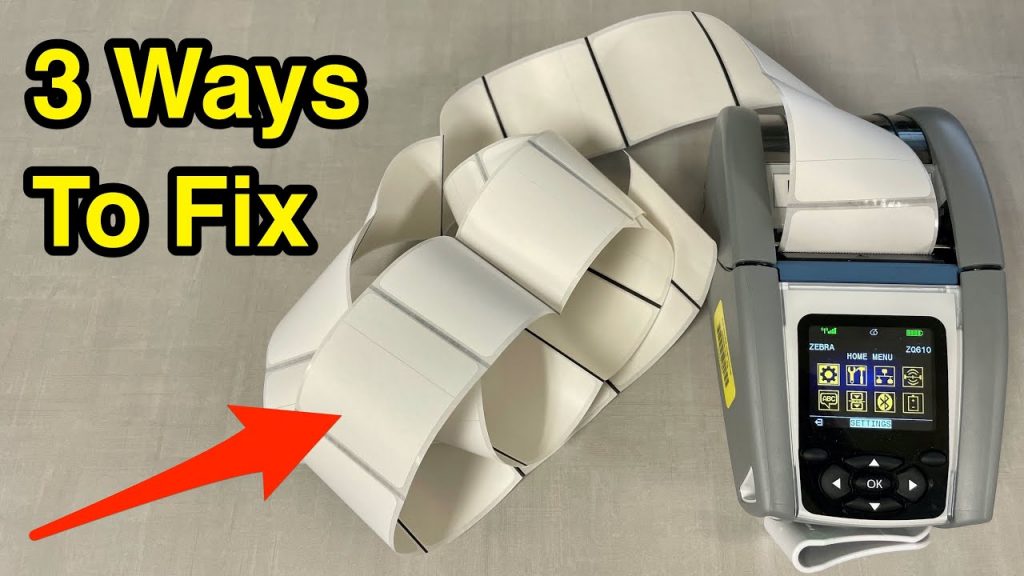
If you are experiencing issues with your handheld Zebra label printer skipping multiple labels while printing, don’t worry! There are three simple solutions you can try to fix this problem. In this article, we will explore these solutions and provide you with a step-by-step guide to get your thermal labeling machine back on track.
Before we delve into the solutions, let’s first understand the importance of a reliable thermal labeling machine. A thermal labeling machine, also known as a thermal printer, is a device that uses heat to transfer ink onto labels. This technology offers fast and efficient label printing, making it a popular choice for businesses in various industries.
When your thermal printer starts skipping labels, it can be frustrating and time-consuming. However, there is no need to panic. By following these three simple steps, you can troubleshoot and resolve the issue with ease.
Solution 1: Check the Label Roll
The first thing you should do is ensure that the label roll is properly loaded in the printer. Sometimes, the labels can get stuck or misaligned, causing the printer to skip multiple labels. Here’s what you need to do:
1. Open the printer and remove the label roll.
2. Inspect the roll for any damaged or wrinkled labels.
3. Straighten out any wrinkled labels and ensure they are properly aligned.
4. Reload the label roll into the printer, making sure it is snugly fit.
Solution 2: Adjust the Print Head Pressure
The print head pressure plays a crucial role in the printing process. If it is too high or too low, it can result in label skipping. Adjusting the print head pressure can help resolve this issue. Follow these steps:
1. Locate the print head pressure adjustment dial or knob on your printer.
2. Turn the dial or knob clockwise to increase the pressure if the labels are skipping.
3. Turn the dial or knob counterclockwise to decrease the pressure if the labels are overlapping or smudging.
4. Test print a label to check if the issue is resolved. Repeat the adjustment if needed.
Solution 3: Clean the Print Head
Over time, the print head can accumulate dirt, debris, or adhesive residue, which can affect the printing quality and lead to label skipping. Cleaning the print head regularly can help maintain optimal performance. Here’s how you can do it:
1. Turn off the printer and unplug it from the power source.
2. Dampen a lint-free cloth or cotton swab with isopropyl alcohol.
3. Gently wipe the print head surface, removing any dirt or residue.
4. Allow the print head to dry completely before turning on the printer and resuming printing.
By following these three solutions, you should be able to fix the issue of your Zebra label printer skipping multiple labels. Remember to always refer to your printer’s user manual for specific instructions and guidelines.
Check the coil packing solution with leading manufacturers for professional solutions. They offer a wide range of coil packing machines that can cater to your specific needs. With their expertise and experience, they can provide you with the best solutions to ensure the smooth operation of your thermal labeling machine. Don’t hesitate to reach out to them for assistance.
In conclusion, a thermal labeling machine is a valuable asset for any business, and it is essential to address any issues promptly. By checking the label roll, adjusting the print head pressure, and cleaning the print head, you can resolve the problem of skipping labels on your Zebra label printer. Remember to follow the steps carefully and seek professional assistance if needed. Happy label printing! Labeling Machine
“Effortless Solutions for Resolving Label Skipping on Thermal Printers & Labeling Machines”